
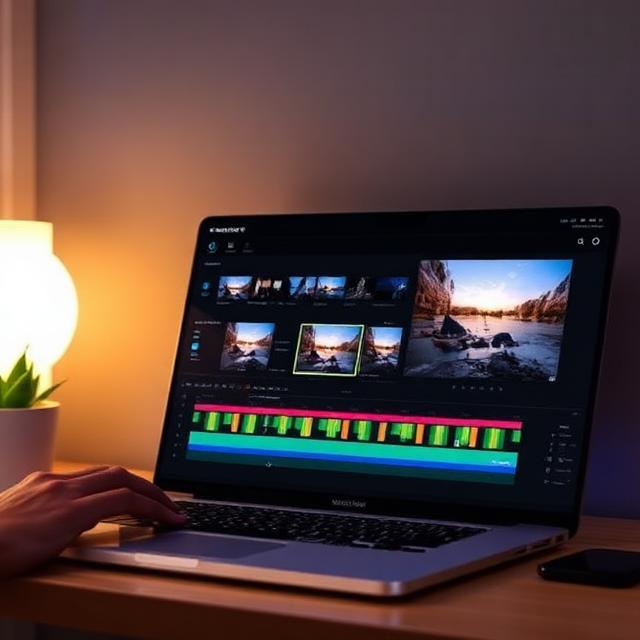

Choosing the best video editing software in 2026 comes down to one question: what’s actually slowing down your workflow right now? Free tools have gotten remarkably powerful, subscription pricing has gotten more aggressive, and AI features are now standard rather than a novelty. Whether you’re cutting your first TikTok or grading a feature film, there’s a tool built specifically for where you are.
This guide reviews the top video editing software for beginners, hobbyists, content creators, and working professionals — with honest pros, cons, and pricing so you can pick the right one for your workflow instead of guessing.
Table of Contents
- How We Evaluated These Tools
- Best Video Editing Software for Beginners
- Best Video Editing Software for Professionals
- Best Free Video Editing Software
- Best Video Editing Apps for Mobile
- Comparison Table: Price & Best Use Case
- How to Choose the Right Editor for You
- Frequently Asked Questions
- Final Verdict
1. How We Evaluated These Tools
Rather than just listing features, we focused on the things that actually matter day to day:
- Time to first finished export — how quickly can a new user go from raw footage to a polished video?
- Learning curve — does the interface get out of the way, or fight you?
- Depth for growth — will you outgrow this tool in a month, or can it scale with your skills?
- True cost — including subscriptions, watermark removal, and export limits, not just the advertised “free” price.
- Platform support — Windows, Mac, mobile, and cross-device syncing.
2. Best Video Editing Software for Beginners
🥇 DaVinci Resolve — Best Free Editor to Grow Into
DaVinci Resolve is the same software used in Hollywood post-production on major studio films, and Blackmagic Design offers the core version completely free — no watermarks, no time limits, and no feature-gating on essential editing tools like color grading, multi-track audio, and compositing.
The honest trade-off: the interface is dense, split across six workspaces (Media, Cut, Edit, Fusion, Color, Fairlight), and it takes noticeably longer for a first-time user to complete a simple edit compared to simpler apps. But the dedicated “Cut” page is designed specifically for fast, beginner-friendly editing, and most new users get comfortable with the basics within about 30 minutes.
- Price: Free (Studio version: one-time fee for advanced codecs and extra AI tools)
- Best for: Beginners who want to learn a tool they’ll never outgrow
- Platforms: Windows, Mac, Linux, iPad
🥈 iMovie — Easiest for Apple Users
If you’re on a Mac or iPhone, iMovie is the fastest path from raw footage to a finished video of any tool on this list. It’s completely free, preinstalled on Apple devices, and includes surprisingly capable tools like image stabilization.
- Price: Free
- Best for: Mac/iOS users who want zero friction
- Limitation: No Windows version
🥉 Filmora — Best Bridge Between Beginner and Pro
Wondershare has positioned Filmora as “the editor you graduate to after free tools but before professional software” — and it delivers. It combines a clean, intuitive drag-and-drop timeline with a genuinely strong AI feature set and a massive template library (10,000+ elements), making it ideal for creators who want more depth than CapCut or iMovie without jumping straight into DaVinci Resolve.
- Price: Free tier available; Pro from roughly $7.99/month
- Best for: Beginners who want to grow toward professional-looking results
Other Strong Beginner Options
- CapCut — Extremely fast for short-form, vertical social content, with excellent AI auto-captions and templates. Best for Reels, TikTok, and Shorts creators, though advanced color and audio tools are limited.
- Clipchamp — Built into Windows, with a clean, simple interface and no watermark on free HD exports. A strong pick for business, school, or first-time editors on PC.
- Adobe Premiere Rush — A stripped-down version of Premiere Pro’s core editing experience, with polished built-in title templates and a clear upgrade path if you later move to the full Adobe suite.
- Premiere Elements — Adobe’s consumer-level editor, offering three interface modes based on experience level and a one-time purchase option outside the Creative Cloud subscription.
3. Best Video Editing Software for Professionals
DaVinci Resolve Studio — Best Overall for Filmmakers
For serious filmmakers and colorists, DaVinci Resolve Studio is widely regarded as the best value in professional editing software. At a one-time cost of a few hundred dollars, compared to over a thousand dollars across several years of a competing subscription, it handles the vast majority of independent film and short-film work, plus industry-leading color grading via the Fusion and Color pages.
- Price: One-time fee (~$295)
- Best for: Independent filmmakers, colorists, documentary editors
Adobe Premiere Pro — The Industry Standard for Collaboration
Premiere Pro remains the most commonly installed editor in commercial post-production, agencies, and broadcast environments. Its 2026 version runs more reliably on Apple Silicon than in past years, and integrated AI-assisted generative fill tools now appear directly in the timeline.
- Price: ~$22.99/month standalone, or ~$59.99/month with the full Creative Cloud suite
- Best for: Editors collaborating with agencies, networks, or teams already on Adobe pipelines
- Trade-off: Ongoing subscription cost adds up significantly over time
Final Cut Pro — Best for Mac-Based Production
Final Cut Pro remains one of the best-performing editors on Apple Silicon hardware, running natively with excellent render speeds. It’s a strong choice for Mac-based studios and solo professionals who don’t need cross-platform support.
- Price: One-time fee (~$299.99)
- Best for: Mac-based professional and semi-professional production
Avid Media Composer — The Broadcast & Feature Film Standard
Avid remains dominant in feature film and broadcast post-production pipelines, particularly for projects requiring tight integration with large collaborative editing teams. Choice of Avid is generally driven by studio or network pipeline requirements rather than personal preference.
- Best for: Feature films, network broadcast, large collaborative post-production teams
After Effects — For Motion Graphics & Compositing
While not a primary editor, After Effects remains the standard companion tool for motion graphics, visual effects, and advanced compositing work alongside Premiere Pro or Final Cut.
- Price: ~$54.99/month
4. Best Free Video Editing Software
You don’t need to pay to get professional-grade results in 2026. The strongest free options are:
- DaVinci Resolve (Free) — Professional color grading, audio, and compositing tools with no watermark, up to 4K UHD export.
- CapCut (Free tier) — Fast, template-driven short-form editing, though the free tier includes ads and watermarks on some exports.
- iMovie — Fully free with no restrictions for Apple users.
- Clipchamp — Free HD export with no watermark, built into Windows.
5. Best Video Editing Apps for Mobile
Mobile editing has closed much of the gap with desktop software thanks to AI effects, cloud syncing, and 4K support:
- CapCut — Leading mobile app for AI captions, templates, and auto-cut tools, with 4K export support.
- LumaFusion — A professional-grade mobile app offering multi-track editing and advanced color grading for a one-time purchase (~$29.99).
- Adobe Premiere (formerly Rush) — Lightweight, cloud-synced editing for quick social content on iPhone, iPad, and Android.
- InShot — A fast, simple option for mobile-first creators who want quick social-format output without desktop complexity.
6. Comparison Table: Price & Best Use Case
| Software | Price | Best For | Platform |
|---|---|---|---|
| DaVinci Resolve | Free / ~$295 (Studio) | Beginners growing into pro work, filmmakers | Win/Mac/Linux |
| iMovie | Free | Apple beginners | Mac/iOS |
| Filmora | Free / ~$7.99/mo | Beginner-to-intermediate creators | Win/Mac |
| CapCut | Free / ~$7.99/mo | Short-form social content | All platforms |
| Clipchamp | Free | Windows beginners, business use | Windows |
| Premiere Pro | ~$22.99/mo | Agency & broadcast professionals | Win/Mac |
| Final Cut Pro | ~$299.99 (one-time) | Mac-based professionals | Mac |
| Avid Media Composer | Enterprise pricing | Feature film & broadcast pipelines | Win/Mac |
| LumaFusion | ~$29.99 (one-time) | Mobile professionals | iOS |
7. How to Choose the Right Editor for You
Ask yourself these questions before committing:
- What’s my actual bottleneck? If it’s speed of publishing, choose a fast, template-driven tool like CapCut or Clipchamp. If it’s creative control, choose DaVinci Resolve or Premiere Pro.
- Do I need to collaborate with others? If you’re working with an agency, network, or post-production team, match the software they already use — usually Premiere Pro or Avid.
- What’s my budget over time, not just today? A one-time purchase like DaVinci Resolve Studio or Final Cut Pro can be dramatically cheaper than a multi-year subscription.
- What hardware am I on? Apple Silicon users benefit most from Final Cut Pro or DaVinci Resolve; Windows users with NVIDIA GPUs should confirm hardware-accelerated export support.
- Will I outgrow this tool? If you’re serious about developing editing as a long-term skill, starting with DaVinci Resolve avoids having to relearn a new interface later.
8. Frequently Asked Questions
What is the best free video editing software in 2026? DaVinci Resolve is widely considered the best free option, offering professional color grading, audio, and compositing tools with no watermark and no time limit, up to 4K UHD export.
Is CapCut good enough for professional work? CapCut excels at fast, template-driven short-form content and social media editing, but its color grading and audio tools are more limited than dedicated professional editors like DaVinci Resolve or Premiere Pro.
Do professional editors still use free software? Yes. DaVinci Resolve’s free tier is genuinely used on real professional and independent film projects — many editors only upgrade to the paid Studio version for specific advanced codecs or AI features.
What’s the best video editing software for a beginner who wants to go pro eventually? DaVinci Resolve is the most commonly recommended option, since it lets you learn the same interface and tools used in professional post-production from day one, without needing to switch software later.
Is Adobe Premiere Pro worth the subscription cost? For editors collaborating with agencies, broadcasters, or teams already using Adobe’s ecosystem, yes — Premiere Pro remains the industry standard for compatibility and collaboration. For solo creators on a budget, a one-time-purchase tool like DaVinci Resolve Studio or Final Cut Pro often delivers better long-term value.
9. Final Verdict
There’s no single “best” video editing software in 2026 — only the best one for your specific goals, budget, and hardware. If you want a tool you’ll never outgrow, start with DaVinci Resolve. If you’re on Apple hardware and want the simplest path to a finished video, iMovie or Final Cut Pro are excellent choices. If your focus is fast social content, CapCut or Filmora will get you there quickest. And if you’re working professionally within an agency or studio pipeline, Premiere Pro or Avid Media Composer remain the industry standard.
Whatever you choose, the most important factor isn’t the software — it’s using it consistently on real projects.
Have questions about which editor fits your specific workflow? [Contact us] and we’ll help you find the right fit.






Leave a Comment